Sketch to estimate
to money received.
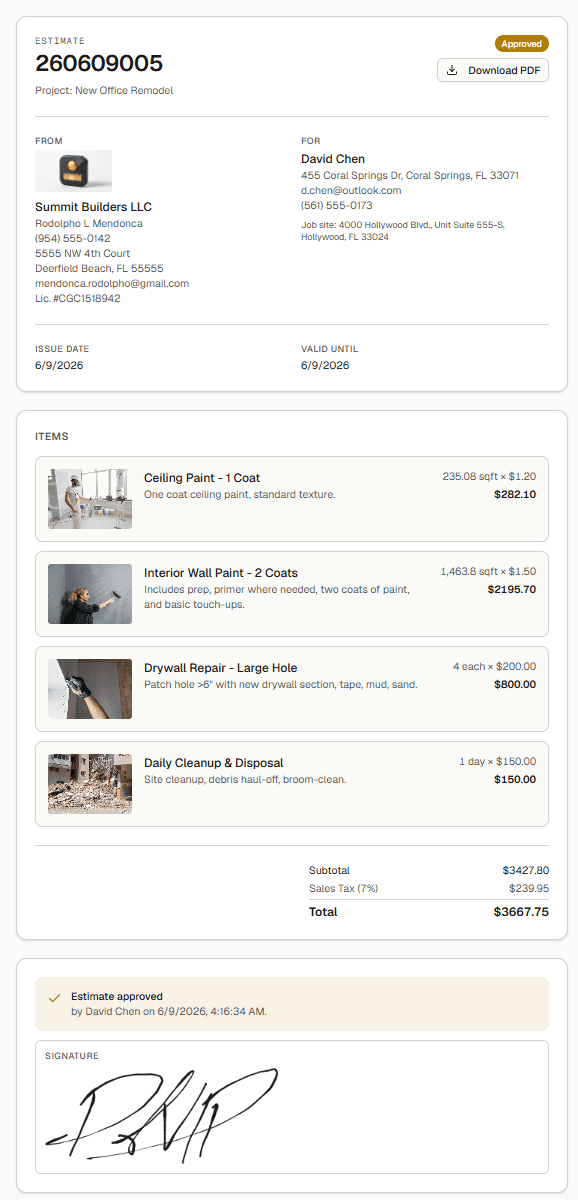
Four steps from idea to money in the bank.
Draw or take off
Sketch a floor plan in the editor, or upload a PDF and measure it with calibrated takeoff.
Estimate
Quantities flow into the estimate. Drop in an Assembly and the whole bill of materials lands at once.
Send & approve
Share a clean estimate on a public link. The client approves with one click — status updates live.
Invoice & get paid online
Convert to an invoice; the client pays by card on a secure link and it marks itself paid — money on your dashboard, no chasing.
A whole back office, not just a calculator.
Money received, what’s outstanding, open estimates and live activity — the second you log in.
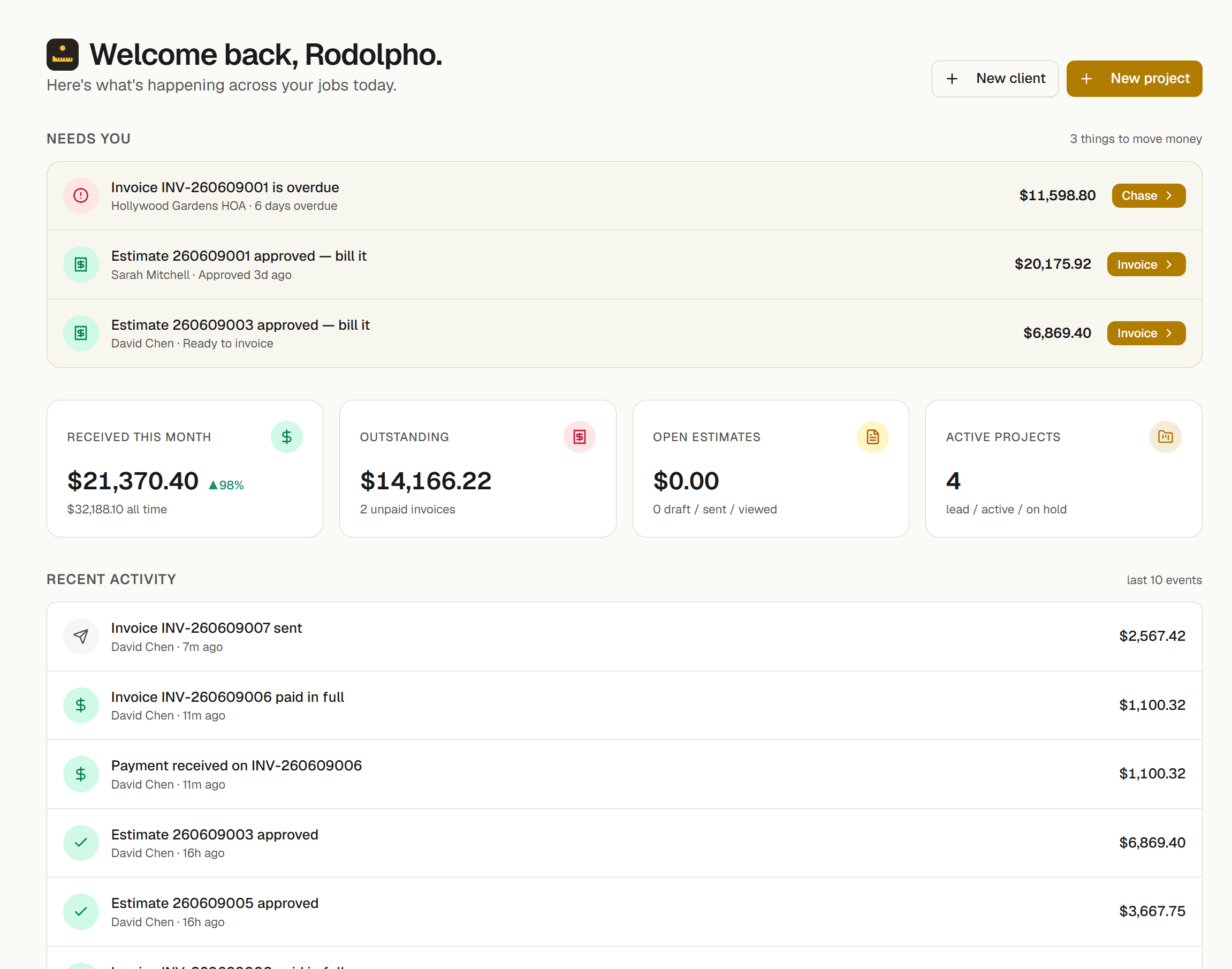
Measure the plan. Done.
Upload the plan, calibrate once, and measure walls, areas and counts with snapping and live dimensions. Cubic yards, roof pitch and framing too.
- Calibrated takeoff on any PDF plan
- Walls, areas and counts — with snapping
- Quantities land on the estimate by themselves
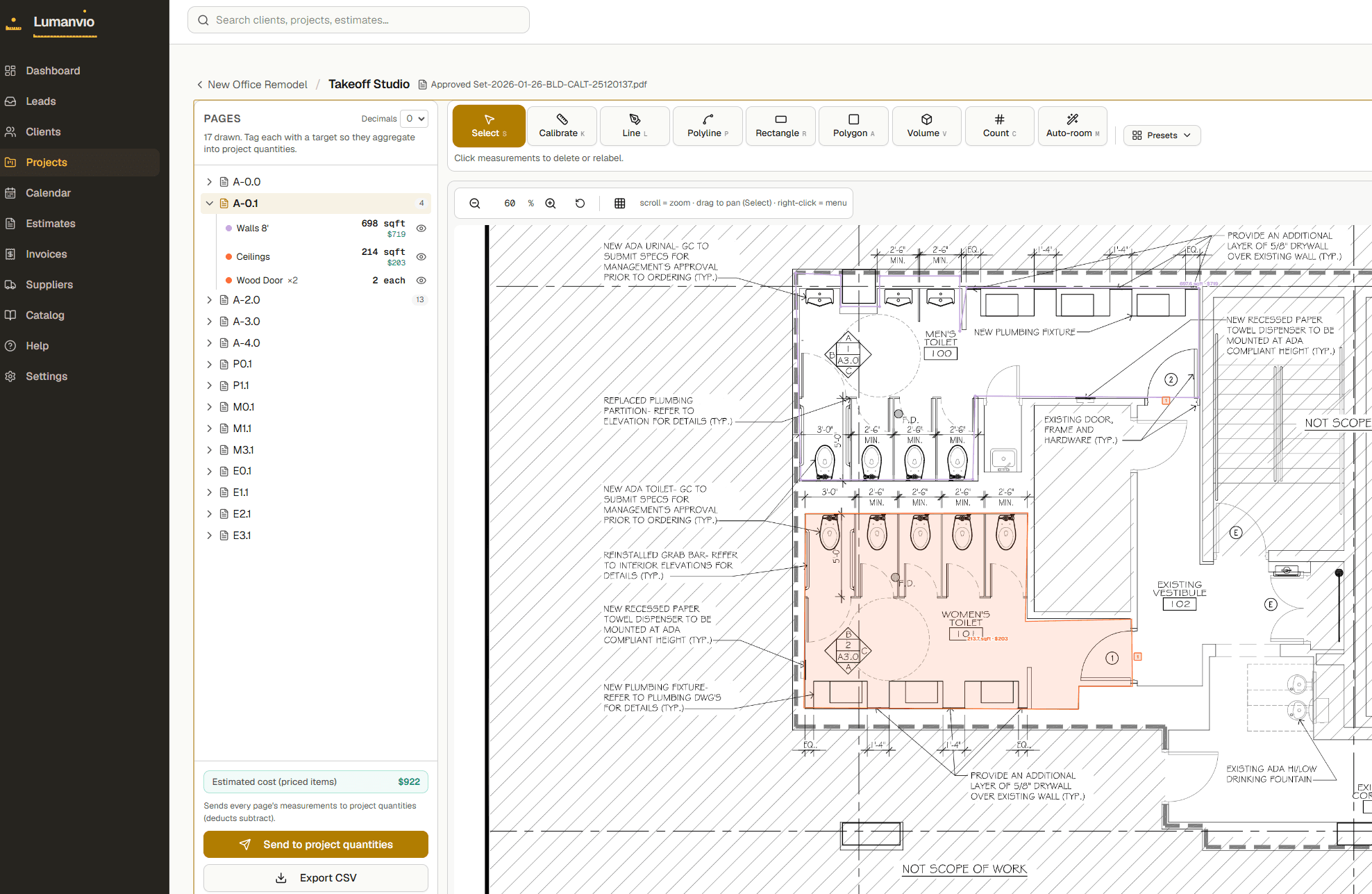
Approved with a real signature.
Quantities pre-fill the estimate. The client opens a link — no app, no login — and approves right on their phone.
- Assemblies drop whole bills of materials at once
- Clean public link your client can read
- Drawn signature comes back, status updates live
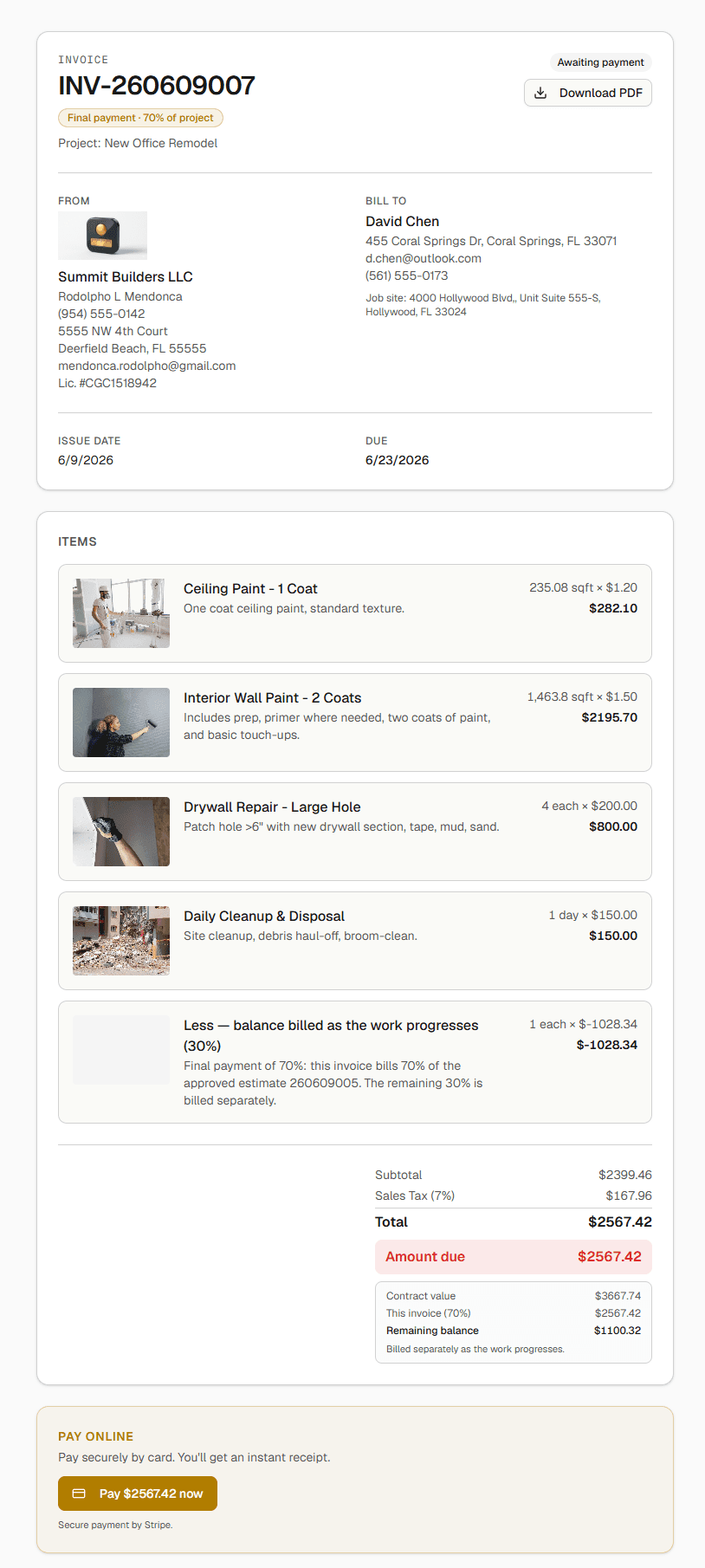
The part where you get paid.
Bill 30% down or the whole job. The link takes cards, invoices mark themselves paid, and the remaining balance is tracked for you.
- Deposit invoices itemize the full scope
- Card payments on a secure link (Stripe)
- Paid invoices mark themselves — no chasing
Change Orders
Client asked for more mid-job? Spin a change order off the estimate, approve it on its own link, contract value stays in sync.
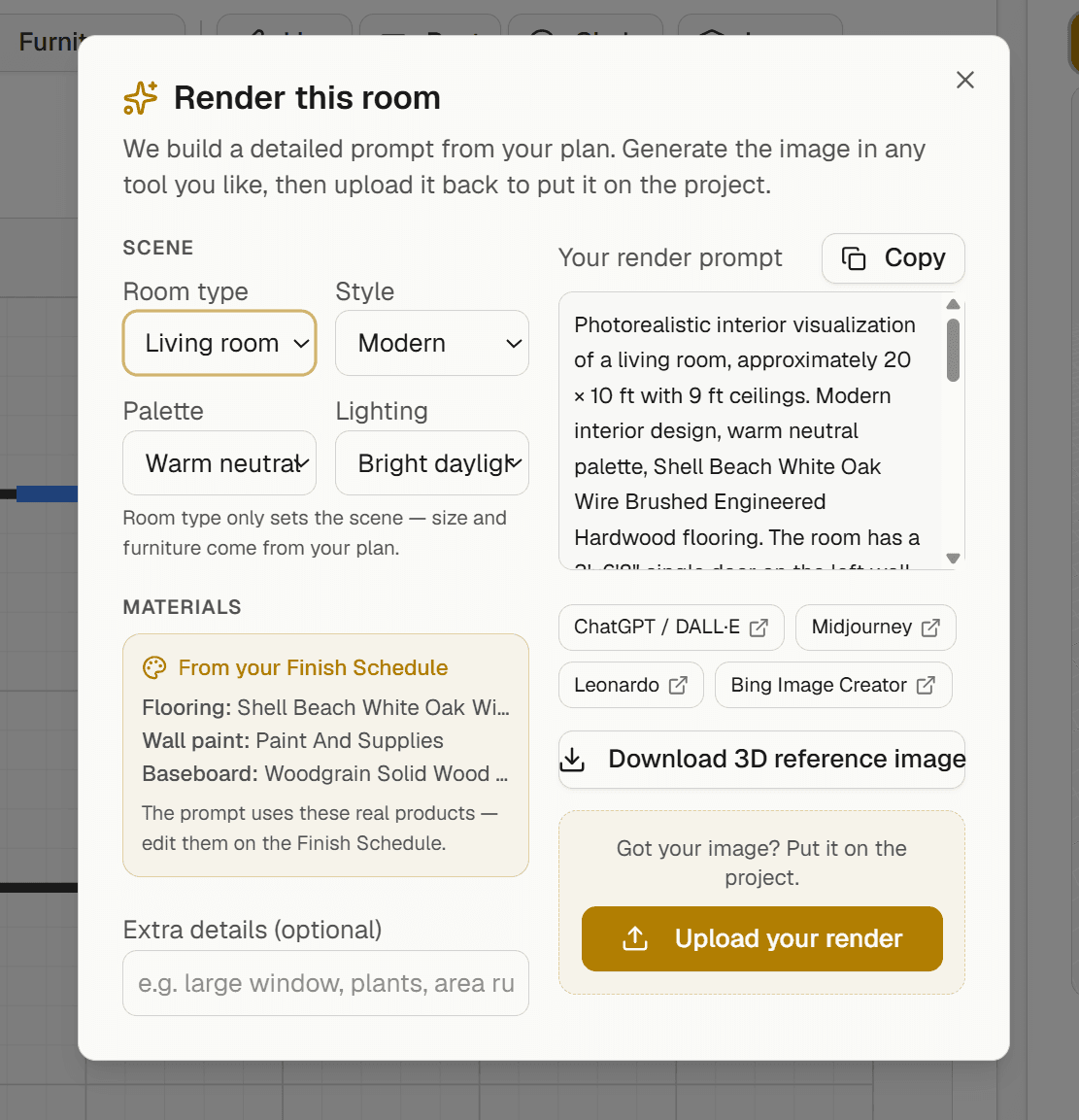
Photoreal visuals
We build the perfect AI prompt from your plan and real finishes — generate the image in any tool and keep it on the project gallery.
Job costs & profit
Bills, labor and expenses roll up against the contract — see the real margin of every job in dollars and percent, live. Not just what you billed: what you actually made.

Team time clock
Clock your crew in and out per job. Hours × rate land on the project’s costs as labor — your margin stays honest.

Suppliers & Purchasing
Vendors, bills, purchase orders and 1099s — know what you owe and what’s on order, tied to each job.
Parts & Assemblies
Measure a wall once → studs, drywall, paint and labor land in the estimate with waste factors.

Schedule + calendar sync
Tasks with start/end dates per job, mirrored to the calendar you already use (Google, Apple, Outlook).

Daily Logs & AI reports
Photos and a voice note on site become a clean, branded PDF report for the client — in English, Spanish, Portuguese or Creole.
MEP overlays
Electrical, plumbing & HVAC on any plan — symbols, sized runs, RCP and schedules. No CAD seat.
Synced 3D
A real-time 3D of your plan with furniture and PBR materials, in a popout that follows your edits.
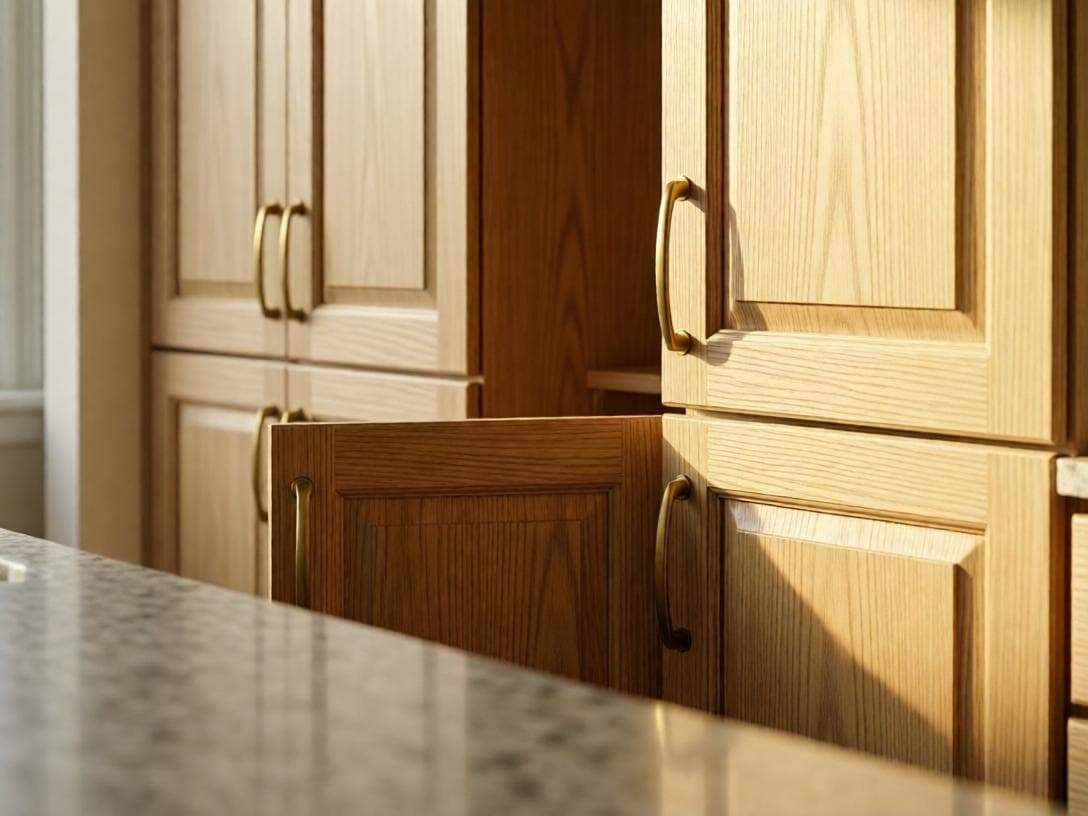
Cabinet Designer
Lay out kitchen & bath cabinets with custom sizes, finishes and countertops — built for the bid.
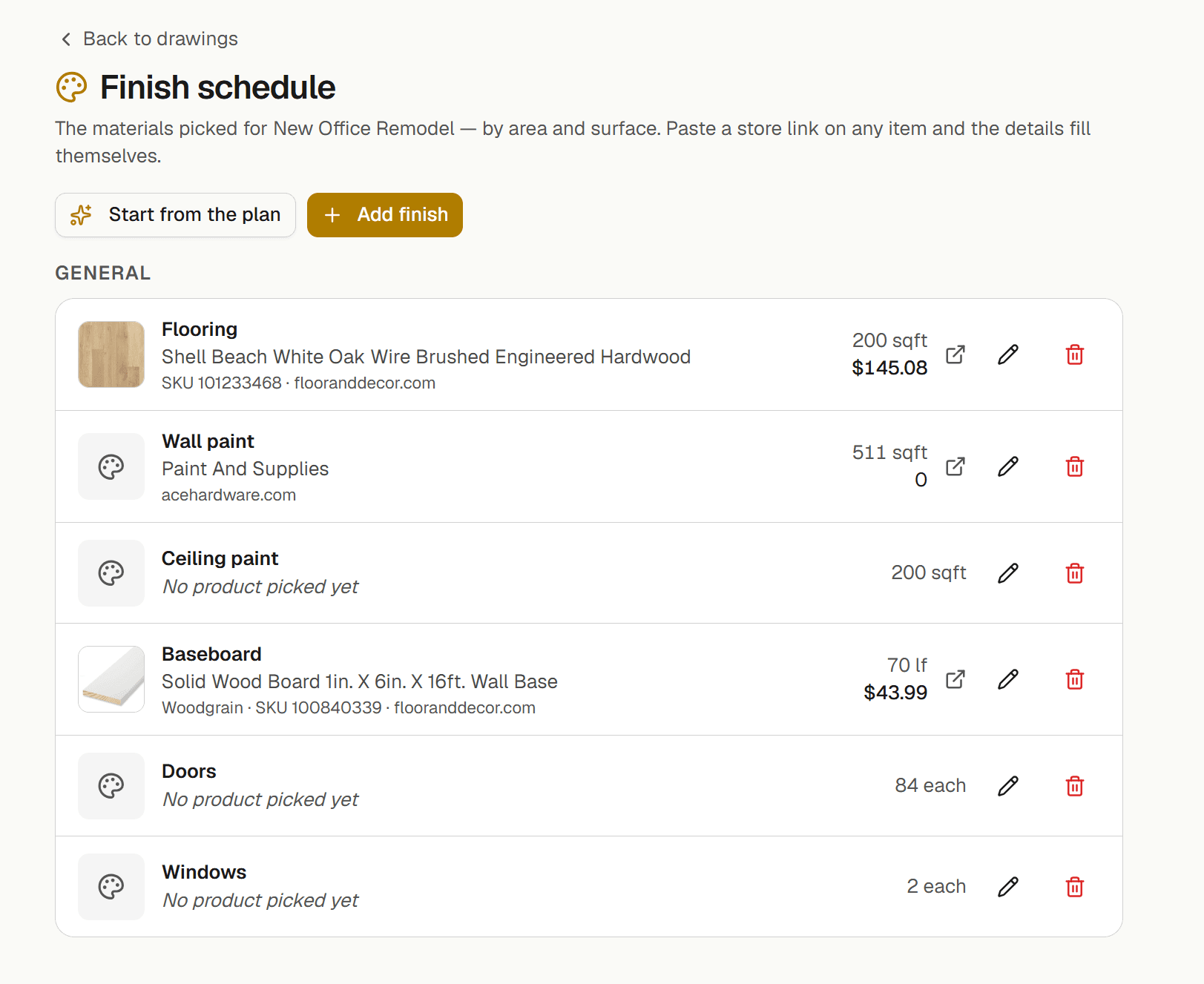
Finish Schedule
Paste a store link — product, brand, price and photo fill themselves. The schedule prints as a sheet on your plan set.
Start with Lumanvio. Add Pro power when you scale.
Try it free for 15 days — no card to look around. One simple price, your whole crew optional.
Lumanvio
The commercial loop — sketch to money received.
or $399.90/yr — 2 months free
You + 3 in the field · 15-day free trial
- PDF takeoff → estimate → 1-tap approval
- Deposits, progress draws & card payments
- Time clock for your field crew, from the phone
- Change orders that keep the contract in sync
- One 2D sketch per job — draw it and measure (3D is Pro)
- Photoreal visuals from your plan
Lumanvio Pro
Run the whole operation.
or $999.90/yr — 2 months free
4 in the office (with you) + 5 in the field · +$9.99/office user · +$2.99/extra field worker
- Everything in Lumanvio, plus
- Job costs & profit per job (live margin)
- Suppliers, POs, 1099s & assemblies
- Schedule, daily logs, MEP, 3D & cabinets
- Finish schedule, plan sets & unlimited drawings
Cancel anytime · no setup fees · no per-estimate fees
Straight answers.
What comes with the Lumanvio plan?+
The whole money loop: clients, your price book, estimates the client signs on a link, invoices with a Pay button, and plan takeoff with AI. You draw 1 plan per job (2D — 3D is Pro). Pro adds the 3D view, plan sets and the finish schedule.
What does Pro add?+
The operation around the job: plan sets, the finish schedule and unlimited plans per job, the schedule and daily logs, suppliers and purchase orders, work orders for subs, and the crew time clock.
How is the AI plan reading charged?+
Each paid month includes 13 plan pages on Lumanvio and 40 on Pro. After that it’s 30¢ a page, in prepaid credit packs from $5 — there’s no AI seat to buy.
Do you take a cut of my payments?+
No. Your client pays by card through Stripe and the money goes to your own Stripe account. Lumanvio adds 0% on top — you pay only Stripe’s card fees.
How does the free trial work?+
15 days of the full Lumanvio plan, no card needed. When it ends, pick a plan to keep going — your jobs, estimates and clients stay where they are.
How many people can use it?+
Lumanvio is you plus 3 people in the field (time clock only) — more office people are on Pro. Pro is 4 in the office, counting you, plus 5 in the field. On Pro, each extra office user is $9.99 a month. On both plans, each extra person in the field is $2.99 a month.

Stop quoting in spreadsheets.
Turn a sketch into a sent estimate today — free for 15 days.